Wireless Router Setup 6th Gen: A Comprehensive Guide
Setting up a new wireless router can be a daunting task, especially if you're not tech-savvy. However, with the right guidance, you can easily set up your 6th gen wireless router and enjoy a fast and reliable internet connection. In this article, we'll walk you through the process of setting up your 6th gen wireless router, including the benefits of Wi-Fi 6, and provide tips on how to get the best performance out of your router.
Benefits of Wi-Fi 6
Wi-Fi 6, also known as 802.11ax, is the latest generation of wireless technology. It offers several benefits over its predecessor, including:
- Increased speeds: Wi-Fi 6 offers faster speeds than Wi-Fi 5, making it ideal for applications that require high-bandwidth connections, such as online gaming and video streaming.
- Improved capacity: Wi-Fi 6 can handle more devices than Wi-Fi 5, making it perfect for homes with multiple users and devices.
- Enhanced reliability: Wi-Fi 6 offers better reliability and less interference than Wi-Fi 5, ensuring a stable connection even in crowded areas.
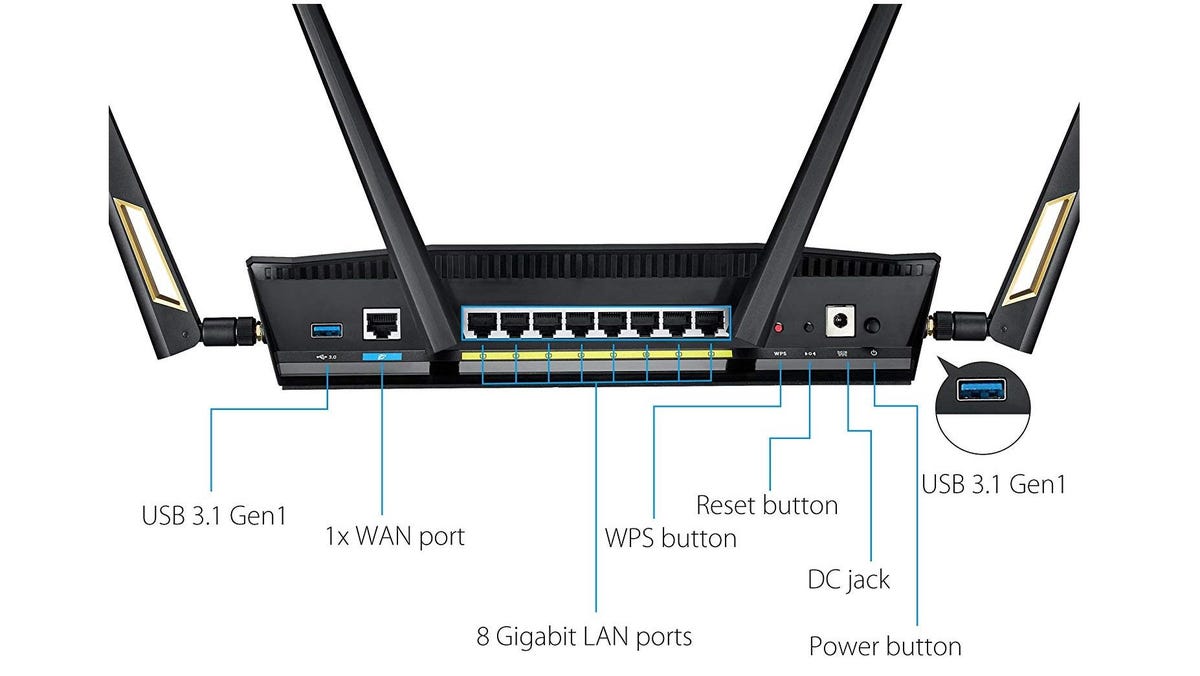
Setting Up Your 6th Gen Wireless Router
To set up your 6th gen wireless router, follow these steps:
- Unbox and physically install the router: Follow the manufacturer's instructions to unbox and install the router in a central location.
- Connect the router to your modem: Use an Ethernet cable to connect the router to your modem. This will provide a stable internet connection.
- Power on the router: Turn on the router and wait for it to boot up.
- Access the router's web interface: Open a web browser and type the router's IP address to access its web interface. The default IP address is usually 192.168.0.1 or 192.168.1.1.
- Configure the router's settings: Set up your Wi-Fi network name and password, configure the router's settings, and ensure that the router is connected to your modem.
- Test your internet connection: Use a device to test your internet connection and ensure that it's stable and fast.